





What you need to know
- Microsoft Edge Canary has a streamlined menu in testing for progressive web apps.
- The new menu shows fewer options when first opened to provide a cleaner experience.
- A longer list of options is still available through the "more tools" area within the menu.
Microsoft continues to make progressive web apps (PWAs) appear more like native apps on Windows 10. The latest update to Microsoft Edge Canary brings a new menu that Microsoft is testing out on the Edge browser. The menu is more streamlined and compact, only showing options that would normally be relevant to PWAs.
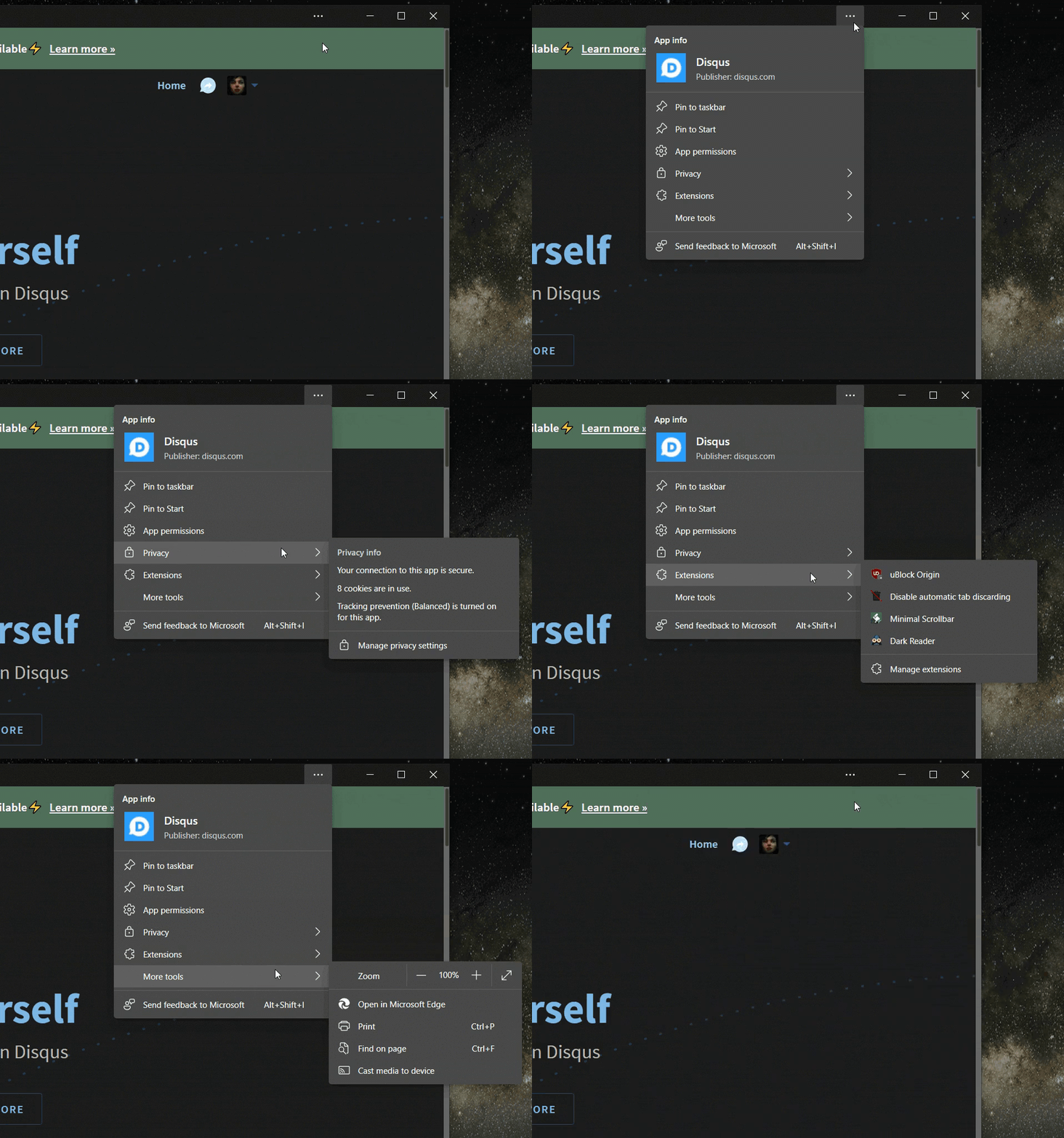
The old menu for installed PWAs on Edge shows icons for extensions, a shortcut to copy the URL, and several other options that most people wouldn't use on a PWA. The current PWA is more compact than the standard Edge menu but still shows options you wouldn't expect from an app.

Spotted by Reddit user Leopeva64-2, the new menu shows options for "Pin to taskbar," "Pin to Start," "App permissions," "Privacy," and "Extensions." You can still access other options through the "More tools" area of the menu.
Microsoft is working on several features to make PWAs feel more like native apps on Windows 10, including setting PWAs as defaults for file types, setting PWAs as a share target, and the ability to run them when you log in. The company is also working on letting developers customize the title bars of PWAs with controls, such as search menus and navigation controls.
The new menu for installed PWAs appears in build 92.0.898.0, according to Leopeva64-2. Features in Edge Canary normally roll out to subsets of users, so you may not see this option yet.

